SAP NetWeaver 04 Linux Download
Click here for download
The Technology Preview "Test Drive" of SAP NetWeaver 04 for the Linux platform is available to download for your evaluation. It includes both ABAP and Java Stacks running on SAP's own database Max DB version 7.5 or IBM DB2 Universal Database for Linux version 8.2.You can use this Technology Preview to gain experience in administering an SAP system or in developing with ABAP and Java. SAP NetWeaver Developer Studio and JavaGUI are included in the package. It also provides an application example for SAP Records Management that demonstrates how the technology preview can be used to achieve basic integration between JavaGUI and OpenOffice / StarOffice.System Requirements:Min. 1536MB, recommended 2GB RAM, Intel Pentium IV or higher, 15GB hard disc space Download 64-Bit Linux Version for x86_64 based upon MaxDB 7.6(7x650MB)
Showing posts with label SAP Installation. Show all posts
Showing posts with label SAP Installation. Show all posts
Saturday, March 29, 2008

TablePro
 TablePro
Download any SAP Tables or Views in a snap
Customized reports generated from ad hoc queries of SAP data are key to business intelligence today. Getting data out of SAP, however, is an involved process and requires technical skills and extra authorizations. Many SAP business users or functional analysts may not have the technical knowledge or the authorizations to create ad hoc queries from SAP data and have to rely on the technical programmers and consultants -– a time consuming and expensive option.
Using TablePro, business users and functional analysts can now effortlessly extract SAP data to create customized reports and handle ad-query requests without any programming and without requiring SE16 or SQ01 access. They can extract data from a single table or from multiple tables in SAP without compromising the SAP server performance.
TxShuttle
TxShuttle 
Create or Update SAP data Instantly without programming
Spreadsheets remain the tool of choice for many information workers across the enterprise and are a convenient way for many business users to create, update, or transfer large amounts of data. Transferring data from Microsoft Office applications, Excel or Access, into the various SAP modules and products, includING the SAP Business Suite and NetWeaver, remains a challenge for most organizations.
This data is either manually keyed into SAP – a particularly wasteful exercise since data is already in a digital format; or is automatically entered into SAP by programmers and consultants using the various technical tools (BDC, ABAP, etc.) provided by SAP – a time-consuming and expensive alternative.
Using TxShuttle, business users or functional analysts can automate the transfer of data between Microsoft Excel or Access to any SAP module or product without requiring any programming. TxShuttle is the EASY and SECURE alternative to the technical SAP programs and empowers the business users by giving them control of their own data.
TxShuttle is the ideal tool for: SAP data migration, SAP Data Upload, Mass maintenance of SAP data, and SAP data entry automation in SAP Logistics, SAP Finance (FI/CO), or SAP Human Resources (HR).
Create or Update SAP data Instantly without programming
Spreadsheets remain the tool of choice for many information workers across the enterprise and are a convenient way for many business users to create, update, or transfer large amounts of data. Transferring data from Microsoft Office applications, Excel or Access, into the various SAP modules and products, includING the SAP Business Suite and NetWeaver, remains a challenge for most organizations.
This data is either manually keyed into SAP – a particularly wasteful exercise since data is already in a digital format; or is automatically entered into SAP by programmers and consultants using the various technical tools (BDC, ABAP, etc.) provided by SAP – a time-consuming and expensive alternative.
Using TxShuttle, business users or functional analysts can automate the transfer of data between Microsoft Excel or Access to any SAP module or product without requiring any programming. TxShuttle is the EASY and SECURE alternative to the technical SAP programs and empowers the business users by giving them control of their own data.
TxShuttle is the ideal tool for: SAP data migration, SAP Data Upload, Mass maintenance of SAP data, and SAP data entry automation in SAP Logistics, SAP Finance (FI/CO), or SAP Human Resources (HR).
SAP on DB2 UDB for OS 390 and z OS Implementing Application Servers on Linux for zSeries
SAP on DB2 UDB for OS 390 and z OS Implementing Application Servers on Linux for zSeries
Abstract
This IBM Redbook focuses on the implementation of SAP application servers on Linux for zSeries. It applies to IBM z/OS V1R2 (5694-A01), IBM z/VM V4.2 (5739-A04), SuSE Linux Enterprise Server 7 for IBM zSeries (64-bit), IBM DB2 UDB for z/OS V7.1 (5675-DB2), and SAP R/3 4.6C SR2.
The book provides overviews of SAP and Linux and describes the planning needed for SAP on Linux for zSeries, including resource sharing considerations, hardware and software requirements, and support and maintenance.
It focuses on how to prepare the system environment, describing system and network configurations, as well as installation and customization tasks. After detailing how to install SAP application servers in z/VM Linux images, it concludes with a description of how to clone those images.
Table of Contents
Ch 1 SAP and Linux overview
Ch 2 Planning for SAP on Linux for zSeries
Ch 3 Preparing the system environment
Ch 4 Installing SAP application servers on Linux
Ch 5 Cloning an SAP dialog instance
App A R3SETUP output
App B Cloning
Download PDF
http://www.redbooks.ibm.com/redbooks/pdfs/sg246847.pdf
Abstract
This IBM Redbook focuses on the implementation of SAP application servers on Linux for zSeries. It applies to IBM z/OS V1R2 (5694-A01), IBM z/VM V4.2 (5739-A04), SuSE Linux Enterprise Server 7 for IBM zSeries (64-bit), IBM DB2 UDB for z/OS V7.1 (5675-DB2), and SAP R/3 4.6C SR2.
The book provides overviews of SAP and Linux and describes the planning needed for SAP on Linux for zSeries, including resource sharing considerations, hardware and software requirements, and support and maintenance.
It focuses on how to prepare the system environment, describing system and network configurations, as well as installation and customization tasks. After detailing how to install SAP application servers in z/VM Linux images, it concludes with a description of how to clone those images.
Table of Contents
Ch 1 SAP and Linux overview
Ch 2 Planning for SAP on Linux for zSeries
Ch 3 Preparing the system environment
Ch 4 Installing SAP application servers on Linux
Ch 5 Cloning an SAP dialog instance
App A R3SETUP output
App B Cloning
Download PDF
http://www.redbooks.ibm.com/redbooks/pdfs/sg246847.pdf
Installing SAP B1 demo with Personal SQL - part 1 of 4
Installing SAP B1 demo with Personal SQL - part 1 of 4
Installing SAP B1 demo with Personal SQL - part 2 of 4
Installing SAP B1 demo with Personal SQL - part 2 of 4
Installing SAP B1 demo with Personal SQL - part 3 of 4
Installing SAP B1 demo with Personal SQL - part 3 of 4
Installing SAP B1 demo with Personal SQL - part 4 of 4
Installing SAP B1 demo with Personal SQL - part 4 of 4
Backup Solutions for SAP R/3 4.5B
Backup Solutions for SAP R/3 4.5B
Backup Solutions for SAP R/3 4.5B on Netfinity Servers running Windows NT
Most companies today are dependent to a greater or lesser extent on their computing infrastructure, but few computing environments can be as fundamental to the operation of a business as SAP R/3. This enterprise resource planning software product is at the heart of a growing number of businesses that range in size from relatively small companies with a few hundred employees to global enterprises with tens of thousands.
Protecting critical business data held within the SAP system from loss can be a crucial factor in ensuring the survival of a company. Whether you want to provide archive storage or to protect against data loss through user error, system failure, malicious damage, or natural disaster, taking regular backups is a necessary process in the management of any important data processing system and SAP R/3 is no exception.
This redbook is aimed at SAP R/3 installations implemented using a Windows NT Server platform running on IBM’s Netfinity range of Intel-based servers. It will help you to implement efficient and reliable backup processes for your SAP R/3 installation. Focus is placed on backing up the core SAP system, that is, the database and application servers that constitute the heart of the product. Solutions have been provided for systems based on the Oracle, IBM DB2 and Microsoft SQL Server databases. In addition, we have provided one example of a backup solution for a clustered SAP system.
We have assumed you are familiar with the SAP R/3 system in a Windows NT environment. Our backup methodology uses Tivoli Storage Manager, and an introduction to this and related Tivoli products is provided in the first part of the book.
SAP INSTALLATION DOC PDF 's ON ALL PLATFORMS
SAP INSTALLATION DOC PDF 's ON ALL PLATFORMS
SAP_Web_APp_Server6.20-Lang_Transport.rar
SAP_Web_Application_Server6.20-Homogeneous_and_heterogeneous_system_copy.rar
SAP_J2EE_Engine_Installation-Dialog_Instance_Installation_on_IBM_eServer_iSeries_for_SAP_Web_App_Ser
SAP_J2EE_Engine_Installation-Dialog_Instanace_Insatallation-Stand.Gateway_Inst..Install..On_Win.rar
SAP_R3Enterprise_on_Windows_2000-IBM_eserver_iseries_and_AS_400.rar
SAP_Software_on_Unix-_OS_Dependencies.rar
SAP_R3_Enterprise_4.70_on_UNIX-IBM_Universal_Database_for_UNIX___Windows.rar
SAP_R3_enterprise_on_IBM_eServer_iSeries_and_AS400.rar
Unicode_SAP_R3_Enterprise_on_IBM_eServer_iSeries___AS_400.rar
SAP_R3_Enterprise_-UNIX.rar
SAP_on_IBM_DB2_Universl_database_for_unix_and_windows.rar
SAP_R3_Enterprise_IBM_Eserver_Iseries.rar
SAP_J2EE_Engine_Installation-DialogInstance_Installation-Standalone_Gateway_Installation_on_Unix.rar
SAP_R3_Enterprise_Installation_on_windows_2000-IBM_DB2_Universal_Database_for_UNIX_and__windows.rar
SAP_R3_Enterprise_WN_ORAcle.rar
SAP_R3_Enterprise_on_Windows-MS_SQL_Server.rar
SAP_R3_Enterprise_on_UNIX-SAP_DB.rar
SAP_R3_Enterprise_Installation_on_Windows-_IBM_DB2_Universl_database_forOS390_zOS.rar
SAP_R3_Enterprise_Installation_on_Unix-IBM_DB2_Universal_Database_for_os390_and_zOS.rar
SAP_on_IBM_DB2_UDB_for_OS390___zOS.rar
SAP_R3_Enterprise_on_UNIX-Oracle.rar
SAP_R3_enterprise_on_Windows-Informix.rar
Sap_r3_enterprise_on_Windows-SAPDB.rar
SAP_R3_Enterprise_on_UNIX-Informix.rar
SAP_R3_Enterprise-Windows.rar
Sap InstallaionSap R/3 4.71 Ides Installaion Guide With Virtual Machine
Sap InstallaionSap R/3 4.71 Ides Installaion Guide With Virtual Machine
 Sap_r3_ides_4.7_installation_guide_With_irtual_Machine_2.rar
 Sap_r3_ides_4.7_installation_guide_With_irtual_Machine_2.rar
SAP r/3 Basis BOOKS and 4.6c Installation Guide
SAP r/3 Basis BOOKS and 4.6c Installation Guide

SAP BOOKS -- DOWNLOAD HERE
http://rapidshare.com/files/26474987/BasisWeek-1.pdf
http://rapidshare.com/files/26474988/BasisWeek-2.pdf
http://rapidshare.com/files/26474990/BasisWeek-3.pdf
http://rapidshare.com/files/26474991/BasisWeek-4.pdf
http://rapidshare.com/files/26474992/BasisWeek-5.pdf
http://rapidshare.com/files/26474993/BasisWeek-6.pdf
http://rapidshare.com/files/26459812/Installation.pdf
http://rapidshare.com/files/26476657/SAP_46C_INSTALLATION.pdf
http://rapidshare.com/files/26474987/BasisWeek-1.pdf
http://rapidshare.com/files/26474988/BasisWeek-2.pdf
http://rapidshare.com/files/26474990/BasisWeek-3.pdf
http://rapidshare.com/files/26474991/BasisWeek-4.pdf
http://rapidshare.com/files/26474992/BasisWeek-5.pdf
http://rapidshare.com/files/26474993/BasisWeek-6.pdf
http://rapidshare.com/files/26459812/Installation.pdf
http://rapidshare.com/files/26476657/SAP_46C_INSTALLATION.pdf
Mini Sap Cd1
Mini Sap Cd1
http://rapidshare.com/files/795136/MiniSapCd1.part1.rar
http://rapidshare.com/files/795954/MiniSapCd1.part2.rar
http://rapidshare.com/files/810556/MiniSapCd1.part3.rar
http://rapidshare.com/files/810409/MiniSapCd1.part4.rar
http://rapidshare.com/files/819126/MiniSapCd1.part5.rar
http://rapidshare.com/files/818884/MiniSapCd1.part6.rar
http://rapidshare.com/files/828305/MiniSapCd1.part7.rar
http://rapidshare.com/files/827340/MiniSapCd1.part8.rar
Mini Sap Cd2
Mini Sap Cd2
http://rapidshare.com/files/828319/MiniSapCd2.part01.rar
http://rapidshare.com/files/902524/MiniSapCd2.part02.rar
http://rapidshare.com/files/902316/MiniSapCd2.part03.rar
http://rapidshare.com/files/936050/MiniSapCd2.part04.rar
http://rapidshare.com/files/935692/MiniSapCd2.part05.rar
http://rapidshare.com/files/947683/MiniSapCd2.part06.rar
http://rapidshare.com/files/1320189/MiniSapCd2.part07.rar
http://rapidshare.com/files/1363944/MiniSapCd2.part08.rar
http://rapidshare.com/files/1378747/MiniSapCd2.part09.rar
http://rapidshare.com/files/1378696/MiniSapCd2.part10.rar
http://rapidshare.com/files/1378689/MiniSapCd2.part11.rar
http://rapidshare.com/files/1378679/MiniSapCd2.part12.rar
http://rapidshare.com/files/1440674/MiniSapCd2.part13.rar
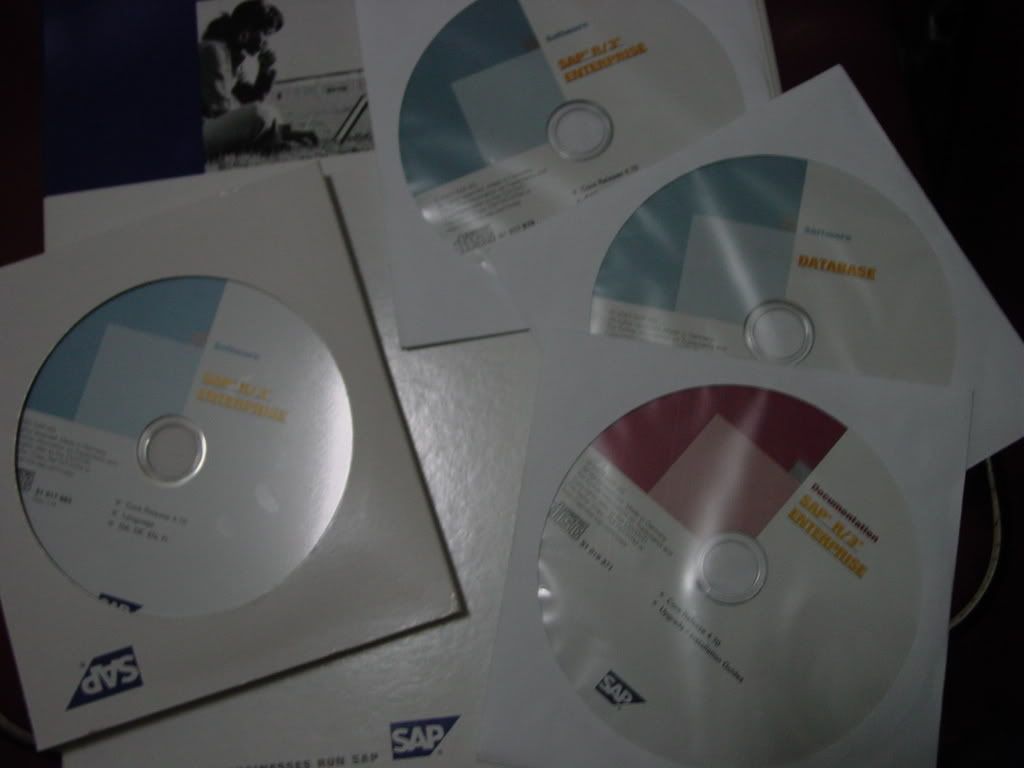
SAP R/3 4.71 SR-1 Enterprise IDES
SAP R/3 4.71 SR-1 Enterprise IDES
In here I put the proof of that stuff and also I upload the documentation in PDF format.
What is SAP IDES and System Requirement for installations?
System Requirement to install IDES
For installing SAP IDES on a Laptop, you need:

Requirements:....
Pentium 3/Pentium 4 with any CPU
100 GB HDD
min. 1 GB RAM
What is SAP IDES (Internet Demonstration and Evaluation System)?
SAP IDES is a normal R/3 but with lots of DEMO data.
The system that contains several sample companies typifying relevant business processes. It is simple to use and has a variety of master and transaction data, and is used for demos, online/classroom training, and presentations. Potential customers use IDES to trial and test software via Internet.
SAP IDES – the "Internet Demonstration and Evaluation System" in the R/3 System, represents a model company. It consists of an international group with subsidiaries in several countries. IDES contains application data for various business scenarios that can be run in the SAP System. The business processes in the IDES system are designed to reflect real-life business requirements, and have access to many realistic characteristics. IDES uses easy-to-follow business scenarios to show you the comprehensive functions of the R/3 System. The focal point of IDES, however, is not the functionality itself, but the business processes and their integration

Pentium 3/Pentium 4 with any CPU
100 GB HDD
min. 1 GB RAM
What is SAP IDES (Internet Demonstration and Evaluation System)?
SAP IDES is a normal R/3 but with lots of DEMO data.
The system that contains several sample companies typifying relevant business processes. It is simple to use and has a variety of master and transaction data, and is used for demos, online/classroom training, and presentations. Potential customers use IDES to trial and test software via Internet.
SAP IDES – the "Internet Demonstration and Evaluation System" in the R/3 System, represents a model company. It consists of an international group with subsidiaries in several countries. IDES contains application data for various business scenarios that can be run in the SAP System. The business processes in the IDES system are designed to reflect real-life business requirements, and have access to many realistic characteristics. IDES uses easy-to-follow business scenarios to show you the comprehensive functions of the R/3 System. The focal point of IDES, however, is not the functionality itself, but the business processes and their integration
Backup Solutions for SAP R/3 4.5B
Backup Solutions for SAP R/3 4.5B
Backup Solutions for SAP R/3 4.5B on Netfinity Servers running Windows NT
Backup Solutions for SAP R/3 4.5B on Netfinity Servers running Windows NT
Most companies today are dependent to a greater or lesser extent on their computing infrastructure, but few computing environments can be as fundamental to the operation of a business as SAP R/3. This enterprise resource planning software product is at the heart of a growing number of businesses that range in size from relatively small companies with a few hundred employees to global enterprises with tens of thousands.
Protecting critical business data held within the SAP system from loss can be a crucial factor in ensuring the survival of a company. Whether you want to provide archive storage or to protect against data loss through user error, system failure, malicious damage, or natural disaster, taking regular backups is a necessary process in the management of any important data processing system and SAP R/3 is no exception.
This redbook is aimed at SAP R/3 installations implemented using a Windows NT Server platform running on IBM’s Netfinity range of Intel-based servers. It will help you to implement efficient and reliable backup processes for your SAP R/3 installation. Focus is placed on backing up the core SAP system, that is, the database and application servers that constitute the heart of the product. Solutions have been provided for systems based on the Oracle, IBM DB2 and Microsoft SQL Server databases. In addition, we have provided one example of a backup solution for a clustered SAP system.
We have assumed you are familiar with the SAP R/3 system in a Windows NT environment. Our backup methodology uses Tivoli Storage Manager, and an introduction to this and related Tivoli products is provided in the first part of the book.
Saturday, March 8, 2008
SAP r/3 Basis BOOKS and 4.6c Installation Guide
 SAP BOOKS -- DOWNLOAD HERE
http://rapidshare.com/files/26474987/BasisWeek-1.pdf
http://rapidshare.com/files/26474988/BasisWeek-2.pdf
http://rapidshare.com/files/26474990/BasisWeek-3.pdf
http://rapidshare.com/files/26474991/BasisWeek-4.pdf
http://rapidshare.com/files/26474992/BasisWeek-5.pdf
http://rapidshare.com/files/26474993/BasisWeek-6.pdf
http://rapidshare.com/files/26459812/Installation.pdf
http://rapidshare.com/files/26476657/SAP_46C_INSTALLATION.pdf
Subscribe to:
Posts (Atom)